iPhone + Apple Watch · any e-bike
Your e-bike, in rings.
Rides, Apple Watch, maintenance and spare parts — for any e-bike.
CHF 4.90 · one-time purchase. No subscription, no in-app purchases.
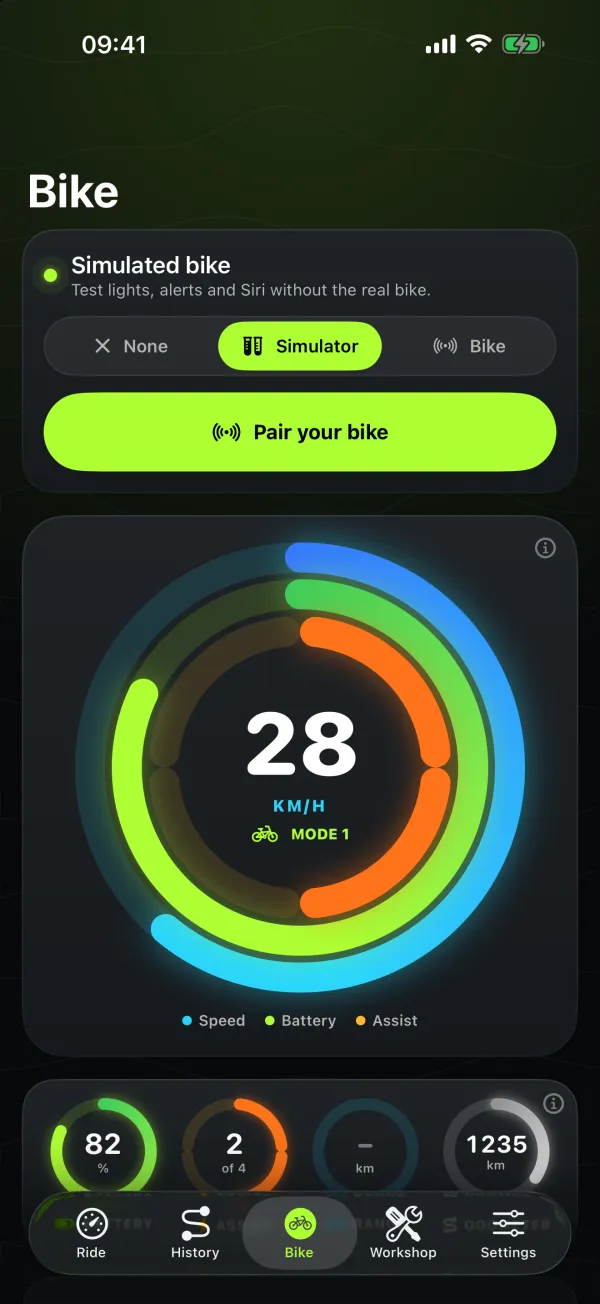
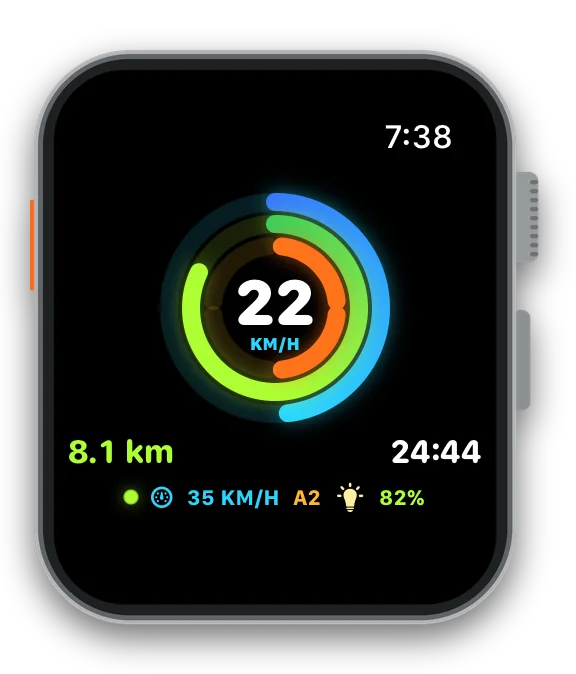
With a Comodule display (e.g. SUPER73), also light and modes from your wrist.
For any e-bike
Every ride. Every part. Whatever you ride.
No connection to the bike needed: Ringvolt works with any brand and model.
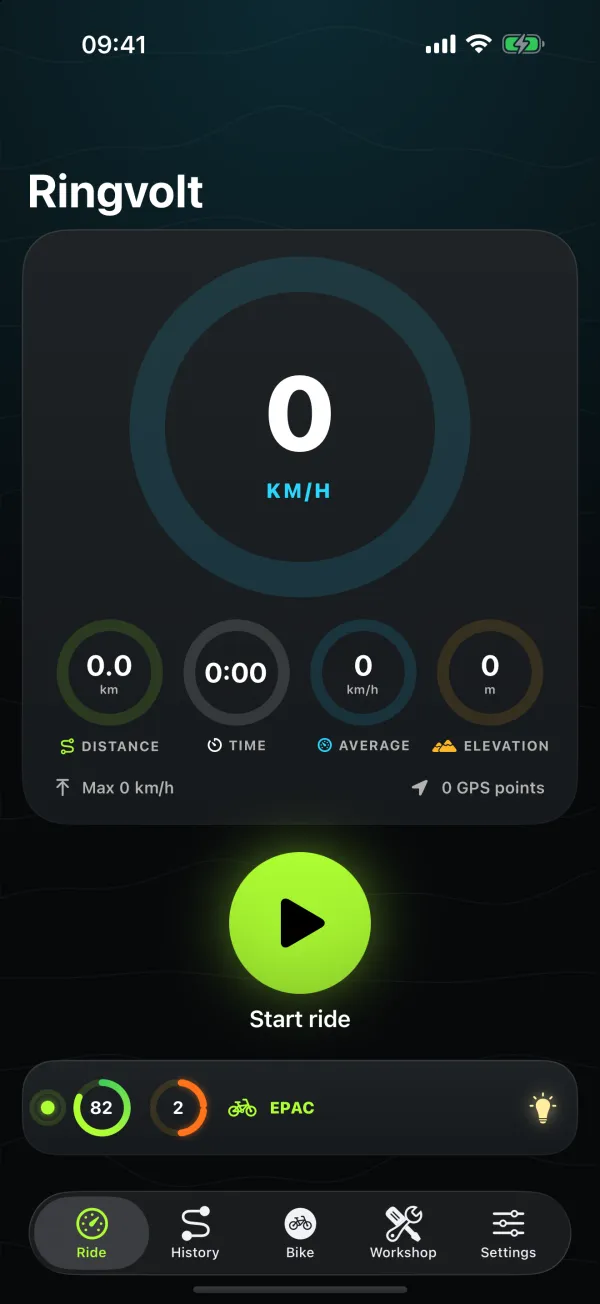
Ride
GPS distance, moving time, speed, elevation and a map.
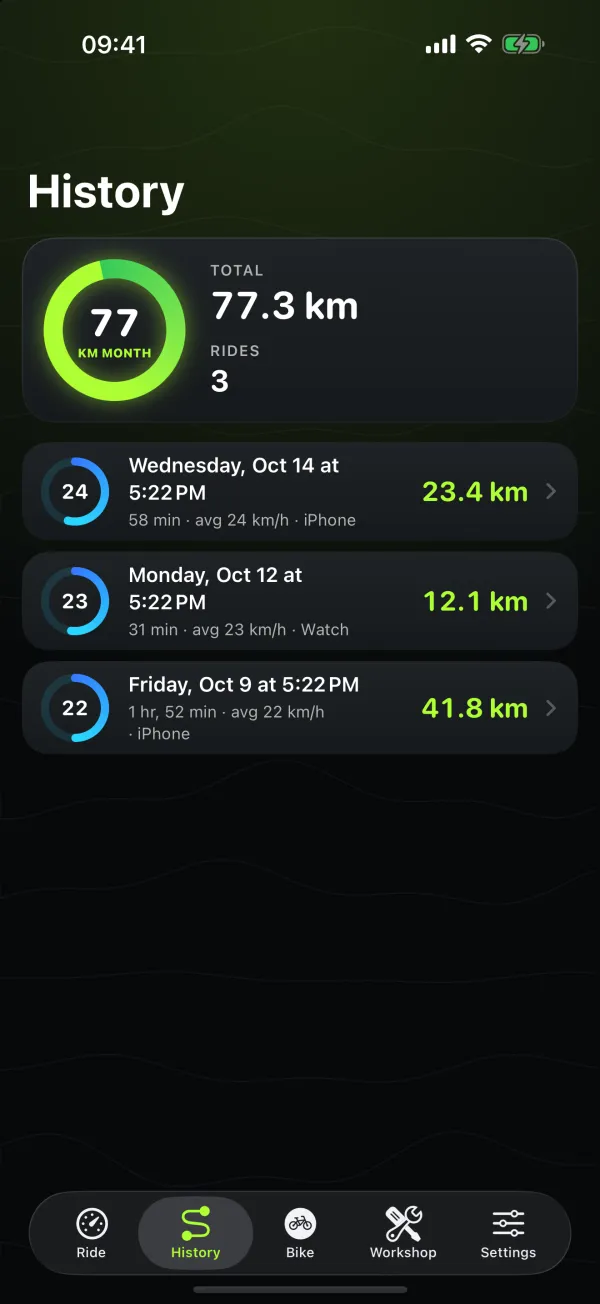
History
Every ride from iPhone or Watch, with GPX export and Apple Health.
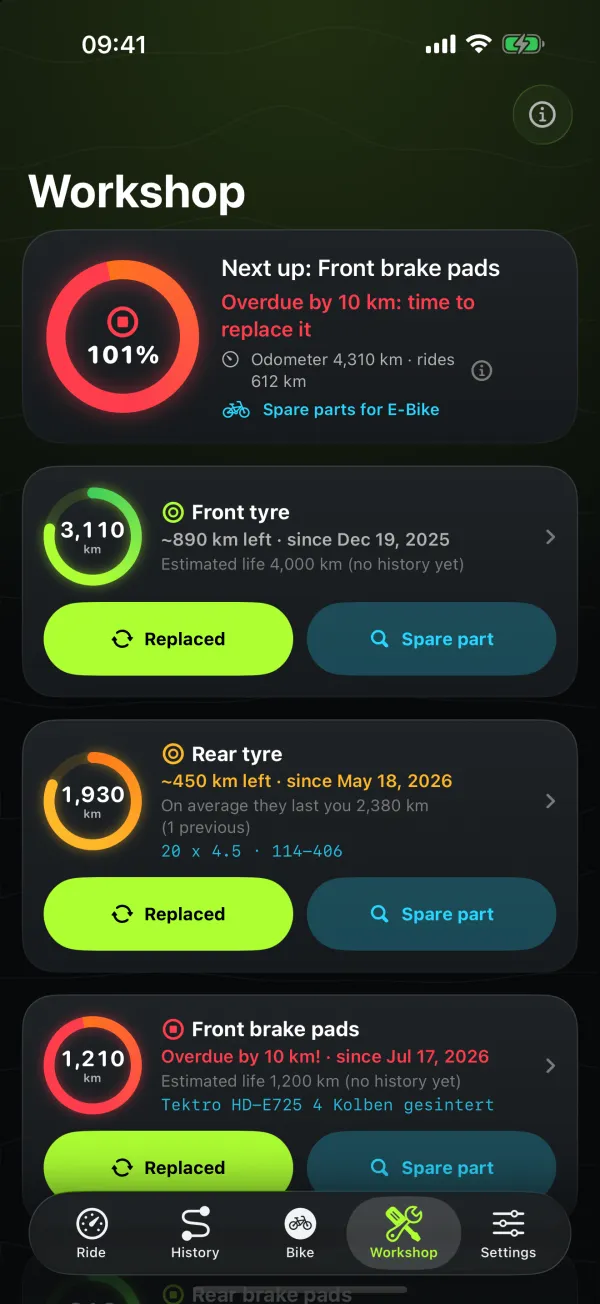
Workshop
Tyres, pads and chain in rings — and the spare part by size.
Apple Watch
Your ride, on your wrist.
Record rides on Apple Watch, no iPhone needed. Real screenshots of the Watch app — swipe through every screen.
-
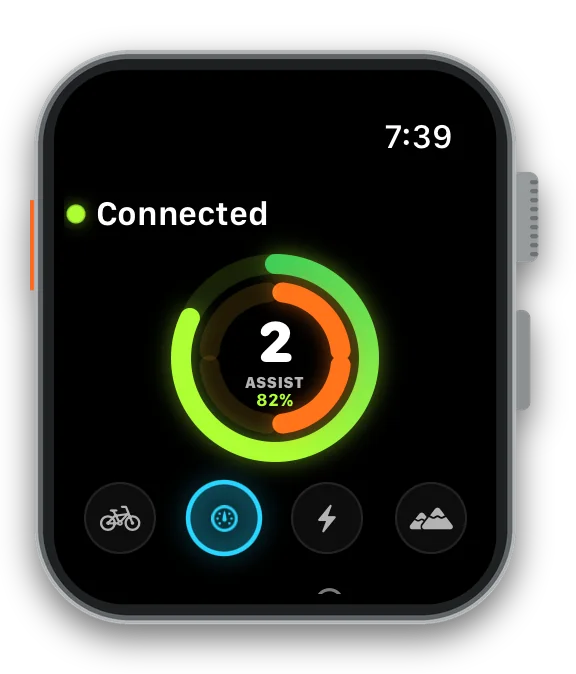
Your bike, connected
The Watch talks to the bike directly: battery and assist rings and the four-mode dial.
-
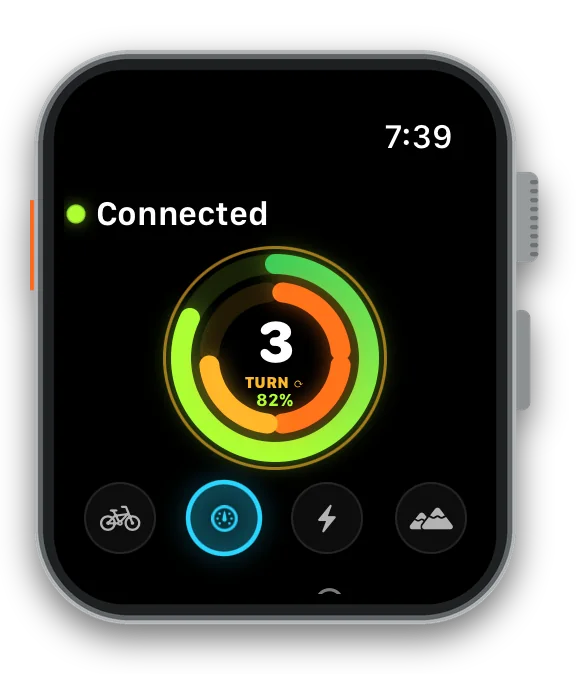
Assist on the Digital Crown
Tap the ring and turn the crown: assist 0–4, with a click you feel on your wrist.
-
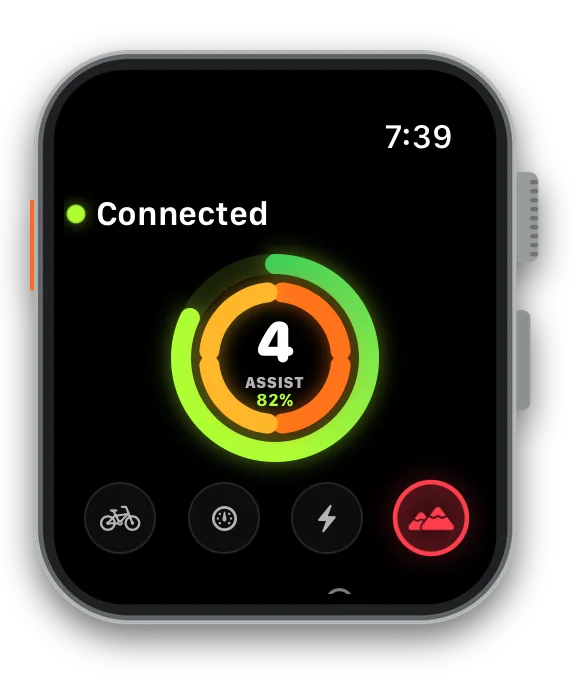
Modes, OFF-ROAD included
One tap on the dial changes mode. Mode 4 is OFF-ROAD — private land only.
-
Ride dashboard
Speed, battery and assist in three rings, plus distance, moving time, mode and light. Always-On ready.
-
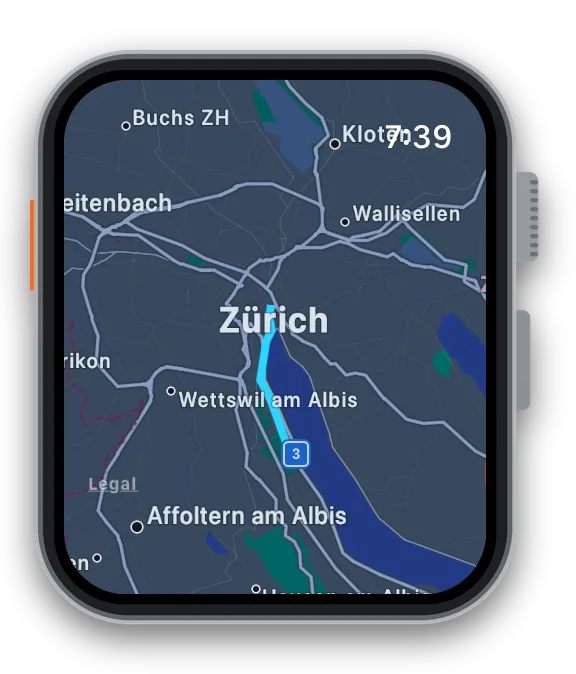
Live map
Your route drawn on the map as you ride.
-
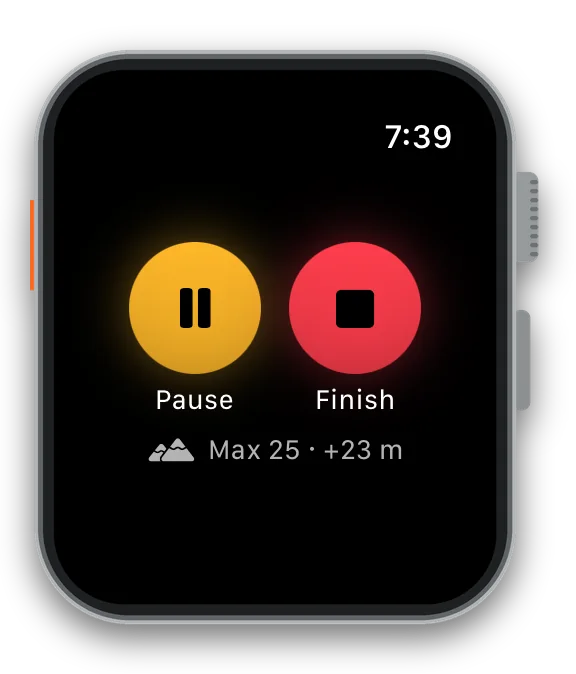
Pause and finish
Big buttons that work with gloves, with top speed and climb so far.
-
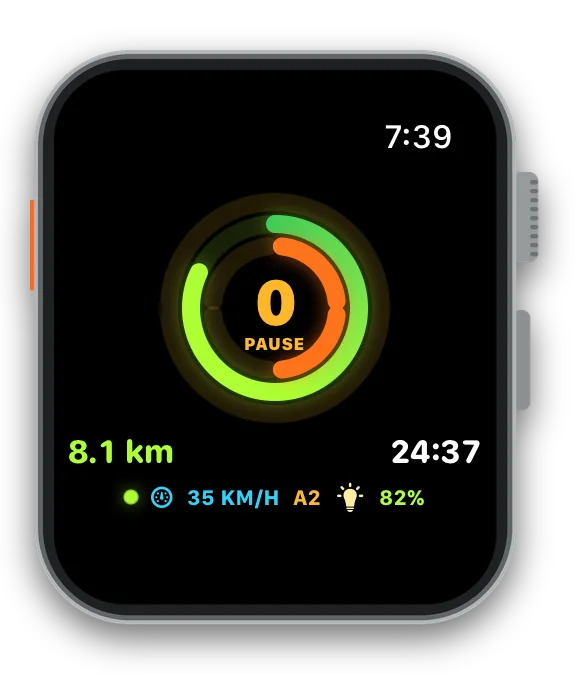
Paused
The dashboard turns amber and moving time stops counting.
-
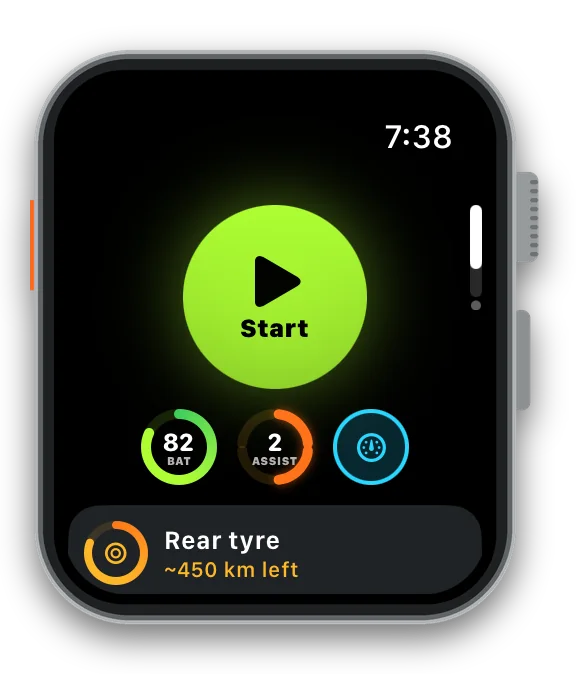
Start a ride
One big button starts a GPS ride; below, your bike’s battery, assist and mode.
-
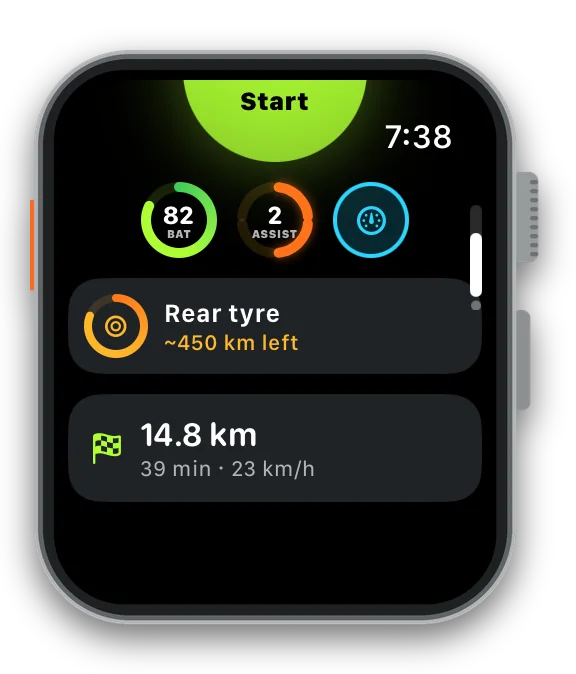
Service on your wrist
The part closest to replacement — here the rear tyre, ~450 km left — and your last ride.
-
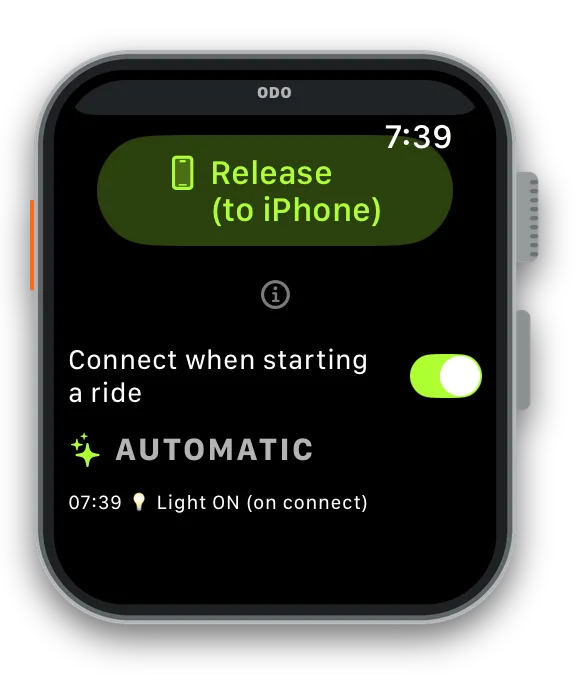
Automatic hand-off
Connect the bike when a ride starts, give it back to the iPhone, and see what the app did for you (light back on).
-
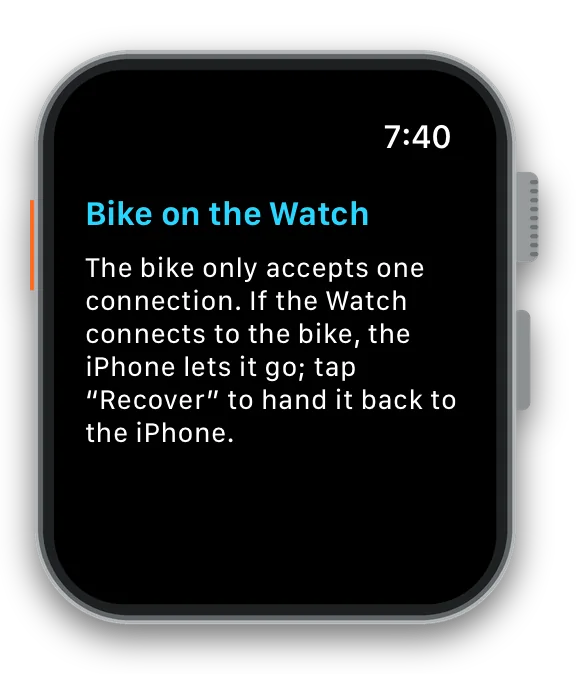
One bike, one connection
The Watch asks the iPhone to let go of the bike — and hands it back when you’re done.
-
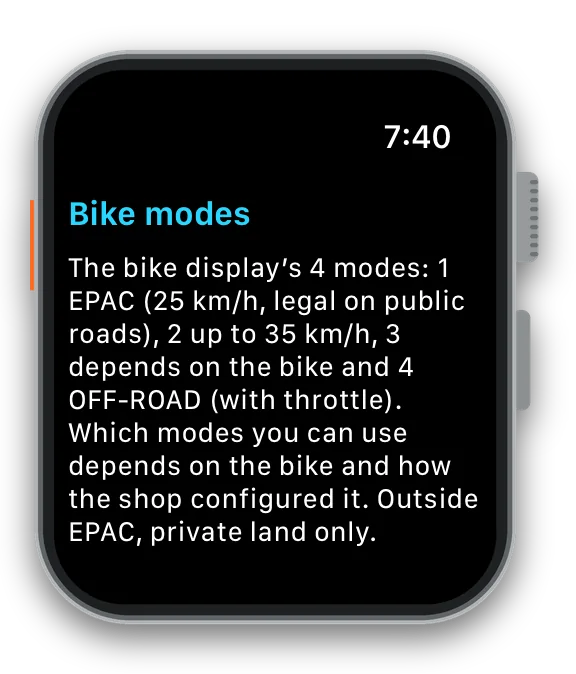
Help ⓘ on the Watch
Short explanations right on the Watch, in your language.
-
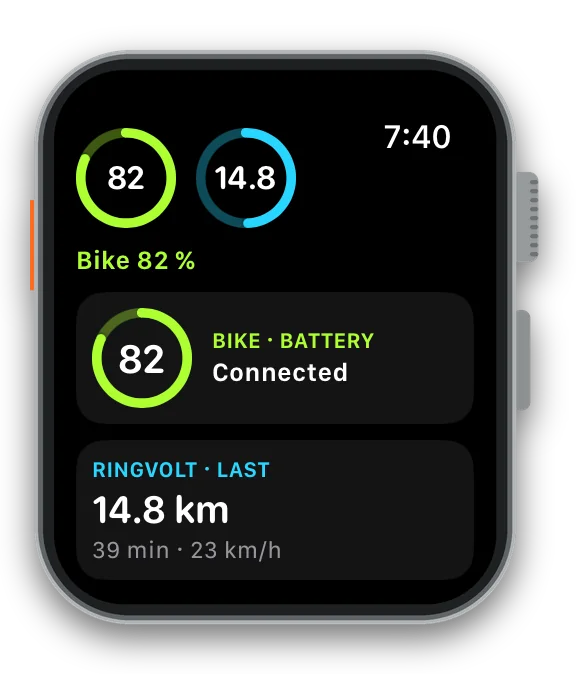
Complications
“Bike battery” and “Last ride” on your watch face — round, rectangular and inline.
And Siri on the Watch: “Lights in Ringvolt”, “Set mode 4 in Ringvolt”, “How much battery is left in Ringvolt?”, “Start a ride in Ringvolt”.
Easy pairing
Four steps. Only your bike.
A step-by-step assistant pairs your e-bike — and Ringvolt only ever connects by itself to the bike you chose, even with several bikes nearby.
-
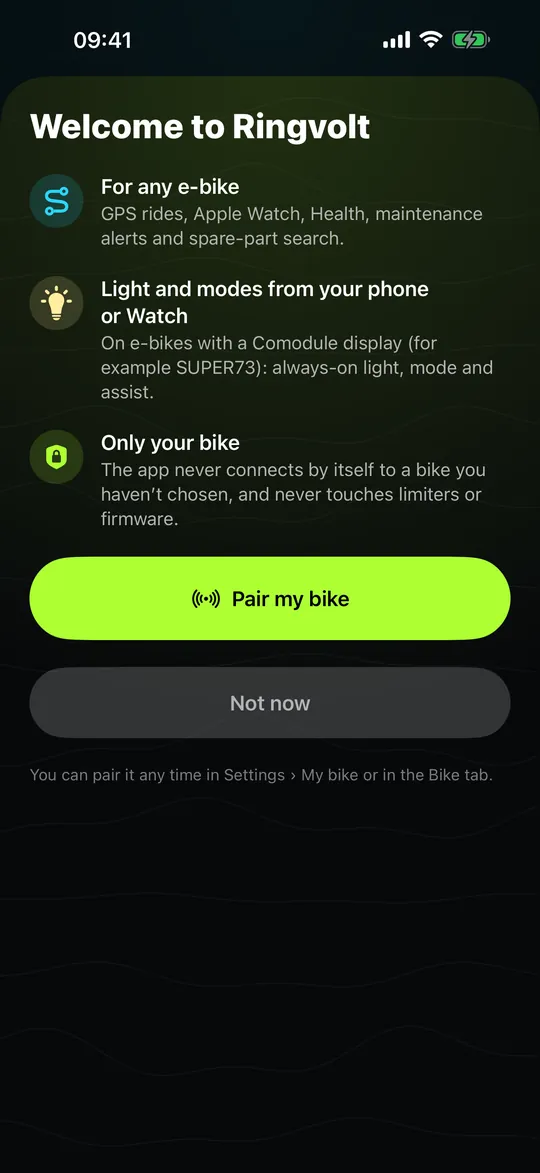
Tap “Pair my bike”
On first launch — or any time from the Bike tab.
-
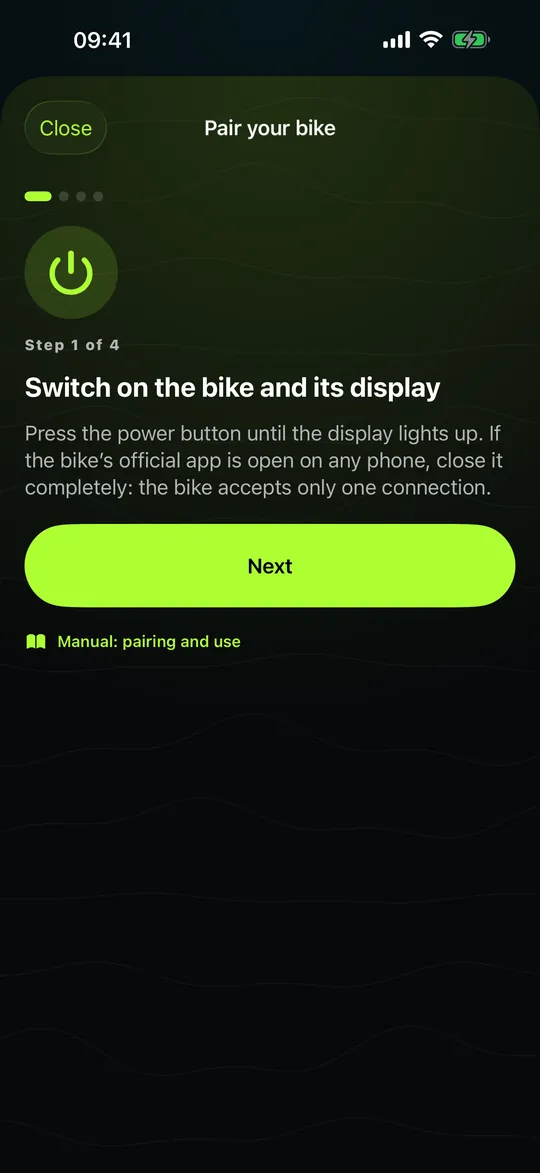
Switch the bike on
Until the display lights up. Close the bike’s official app: one connection at a time.
-
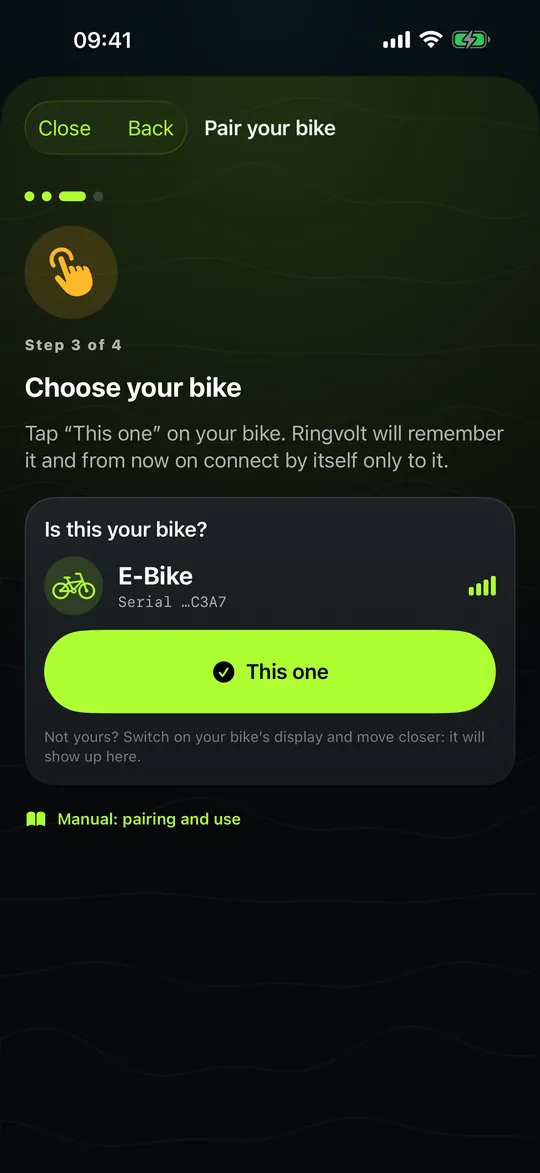
Bring it close, tap “This one”
Ringvolt remembers it and from then on connects only to it.
-
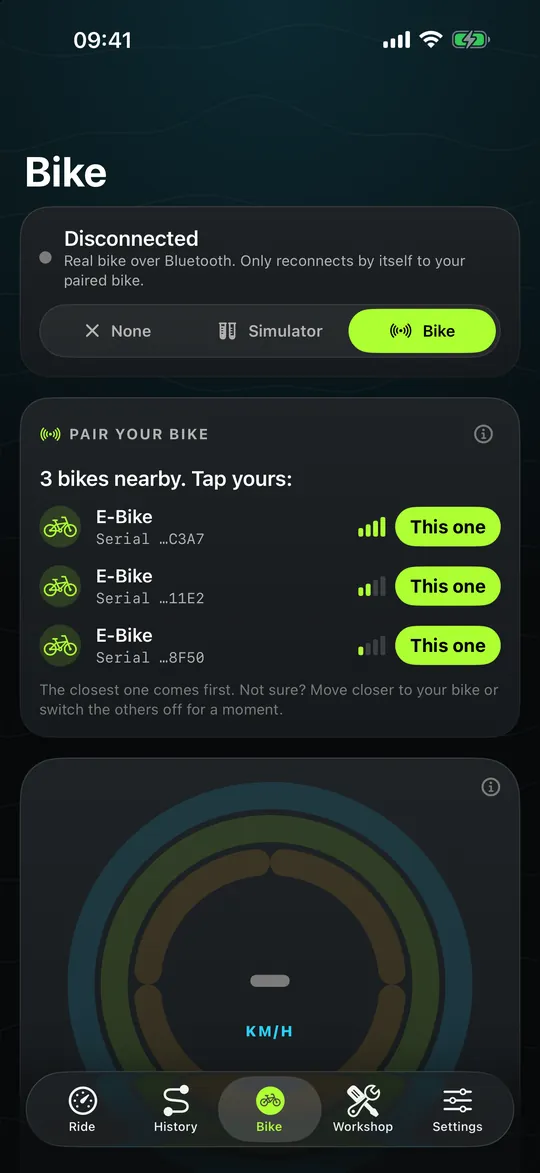
Several bikes nearby?
The closest one comes first, each with its serial number.
- Settings › My bike: pair another bike or forget this one — the Watch forgets it too.
- Bluetooth key: if the shop set its own key, the app explains it in plain words.
- Not compatible? Rides, the Watch and the workshop work just the same.
With a Comodule display
Light and modes, from your wrist.
On e-bikes with a Comodule display, Ringvolt keeps the light on and changes mode and assist from iPhone or Watch. Try it here with a simulated bike.
Apple Watch: assist with the Digital Crown
Illustrative demo with simulated data. Light, mode and assist need an e-bike with a Comodule display; mode numbers depend on your bike.
Workshop · any e-bike
Know when it’s time — before you hear it
Every part gets a ring that empties as you ride, and a spec sheet with its exact size. Ride a little and see what happens when a part reaches the end of its life.
In the app, “Spare part” opens a shop search with that exact size.
Your rides stay yours
Rides, routes and workshop data stay on your iPhone and Watch. No account, no ads, no analytics, no servers of ours. Apple Health only if you allow it.
Read the privacy policy →Compatibility
Rides, GPX, Apple Health, the Watch and the workshop work with any e-bike. Light, mode and assist only on e-bikes with a Comodule display (for example SUPER73). Ringvolt never changes your bike’s firmware, region or speed limits.
Ringvolt is an independent app and is not affiliated with SUPER73 or Comodule.
Pay once. Ride for good.
CHF 4.90 · 6.99 € · US$ 5.99
One-time purchase. No subscription, no in-app purchases, no ads, no account.
Coming soon to the App Store Ringvolt 1.0 is with Apple for review. Want an email on launch day? [email protected]FAQ
Questions riders ask
Which bikes does it work with?
Any e-bike: rides, GPX, Apple Health, the Watch and the workshop with its spare-part finder don’t need a connection to the bike. Light, mode, assist and battery over Bluetooth only work on e-bikes with a Comodule display (for example SUPER73).
How do I pair my bike?
Tap “Pair my bike” and follow four steps: switch the bike on, bring your iPhone close, tap “This one”. Ringvolt never connects by itself to a bike you didn’t choose. Step by step, with pictures, in the manual.
Can it unlock or raise my bike’s speed?
No — and it never will. Ringvolt doesn’t touch firmware, region or speed limiters. It reads your bike’s status and controls light, mode and assist like the official controls do.
Do I need the Apple Watch?
No. The iPhone app works on its own. The Watch adds a big speed dashboard, complications, assist on the Digital Crown and rides recorded without your phone.
Does it need an account or the internet?
No account. Rides, lights and alerts work offline; the map tiles come from Apple Maps when you have a connection.
How much does it cost?
CHF 4.90 in Switzerland (6.99 € in the euro area, US$ 5.99 in the US), paid once. No subscription and no in-app purchases.
Which languages is it in?
English, German, Spanish, French and Italian — the app follows your iPhone’s language. So does this website.